Blender add-on
Send your Blender scene to clients as a 3D review link
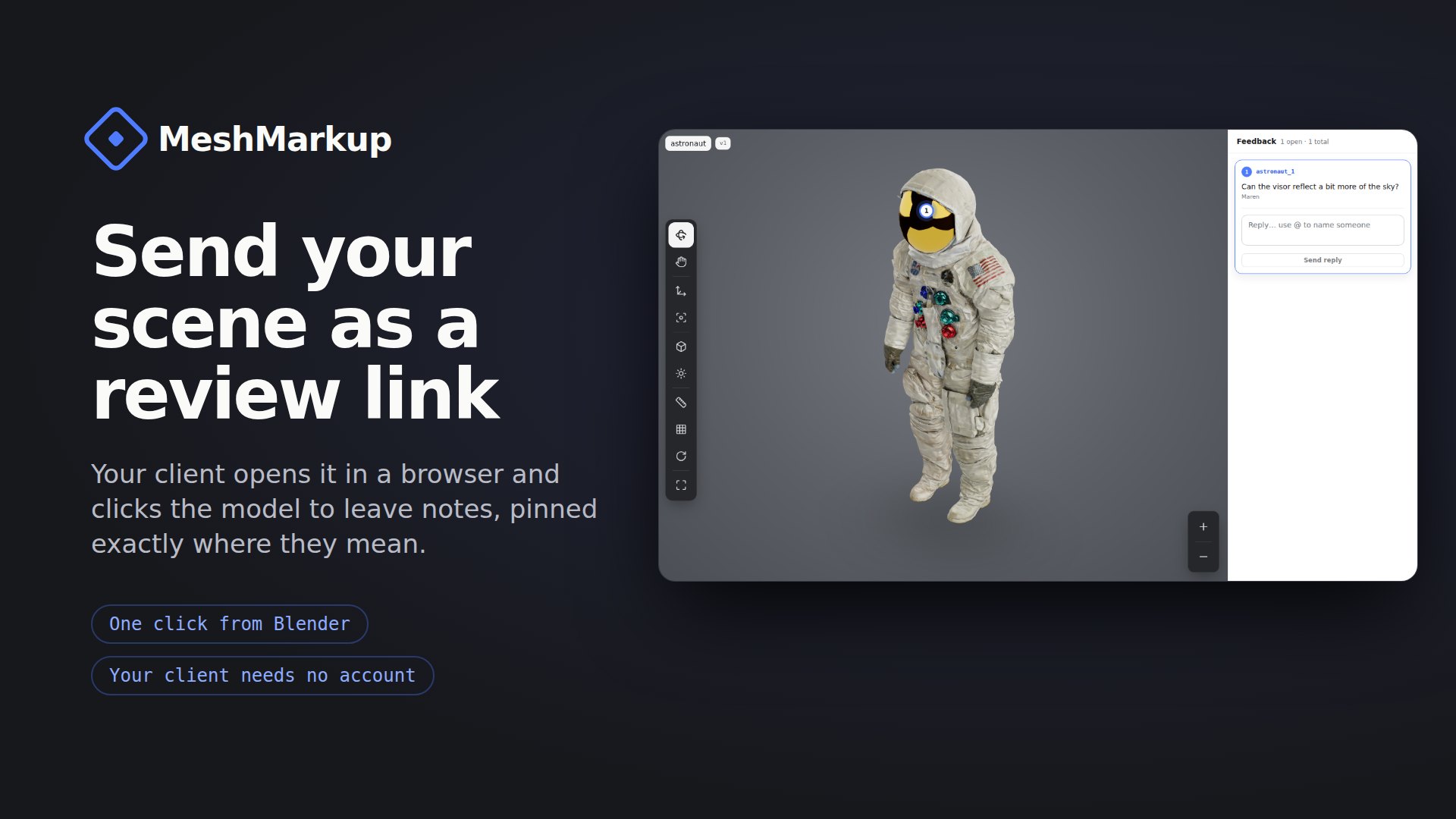
The free MeshMarkup add-on for Blender. One click exports your scene, uploads it and copies a link. Your client opens it in the browser and clicks on the model to say what to change. No screenshots with red circles, no “the thing on the left”.
v1.0.0 · Blender 4.2+ · Windows, macOS, Linux · free · GPL
 Blender
How it works
From Blender to client feedback in four steps
- 1
Connect once
Click Connect in the MeshMarkup tab. Your browser opens, you sign in or create a free account, and approve. No password ever goes through Blender.
- 2
Send for review
Click Send for review. The scene (or only what you selected) is exported as GLB with modifiers applied, uploaded, and a review link is copied to your clipboard.
- 3
Your client clicks the model
Paste the link in an email or chat. Your client opens it in any browser, turns the model and clicks the exact spot they want changed. No account, no app to install.
- 4
Send the changes back
Fixed the notes? Click send again. The .blend remembers the model, so the client sees the new version on the same link, with their open notes still pinned in place.
Install
Install the add-on in Blender
- 1Download the .zip above. Don’t unzip it.
- 2In Blender, open Edit → Preferences → Get Extensions, click the ⌄ menu at the top right and choose Install from Disk. Pick the zip. (Dragging the zip into the Blender window works too.)
- 3If Blender asks, turn on Allow Online Access. The add-on can’t send anything without it.
- 4In the 3D viewport press N and open the MeshMarkup tab. It’s also under File → Export → MeshMarkup review link.
Good to know
- Sends the whole scene or only the selected objects.
- Applies modifiers on export, so the client sees what you see.
- Remembers the model in the .blend, so the next send becomes a new version on the same link.
- Export only works offline, with no account: a clean GLB saved wherever you want.
- Nothing leaves Blender until you click Send.
Prefer to export by hand? See how to export a GLB from Blender.
Questions
The Blender add-on, answered
Is the MeshMarkup Blender add-on free?
Yes. The add-on is free and open source under the GPL, like Blender itself. Sending models needs a MeshMarkup account, and the Free plan is enough to send your first models and get client notes on them.
Which Blender versions does it work with?
Blender 4.2 and newer, on Windows, macOS and Linux. It's a Blender extension, the add-on format introduced in 4.2, and it uses only what ships with Blender, so there's nothing else to install.
Does my client need Blender or an account?
No. Your client gets a normal web link. It opens in Chrome, Safari, Edge or Firefox, on a computer, tablet or phone. They click on the model to leave a note, and you see each note pinned on the exact spot it's about.
What does the add-on send, and when?
Only when you click Send: the exported GLB file and the name you give it. Nothing is sent when Blender starts, there's no tracking inside Blender, and the add-on doesn't check for updates by itself. With Blender's Allow Online Access turned off, it sends nothing at all.
Can I use it without a MeshMarkup account?
Yes, partly. The Export only panel saves a review-ready GLB (modifiers applied, selection only if you like) anywhere on your disk, offline and with no account. Sending a review link needs a free account.
Will my materials and textures come through?
The add-on uses Blender's own glTF exporter, so whatever survives a normal GLB export comes through: Principled BSDF materials and image textures. Procedural node setups that glTF can't describe should be baked to images first.
Why isn't it on extensions.blender.org yet?
Blender's extension platform reviews every add-on before listing it. Until it's listed there, install the same file from this page with Install from Disk. It works exactly the same way.
Get feedback on the model, not on a render
Free add-on, free account to start, and your client needs neither.
Blender is a trademark of the Blender Foundation. MeshMarkup is not affiliated with or endorsed by the Blender Foundation.