Free 3D viewer / 3MF
Free online 3MF viewer
Open .3mf files in your browser, free. Check the model's colours and size before printing, measure it, and read the triangle count.
Not sure what your client would see? Open a sample review
What you can do with it
Everything you need to check a model, in the browser
The toolbar on the left of the viewer has the tools you’d otherwise open a 3D program for. They work the moment your file opens.
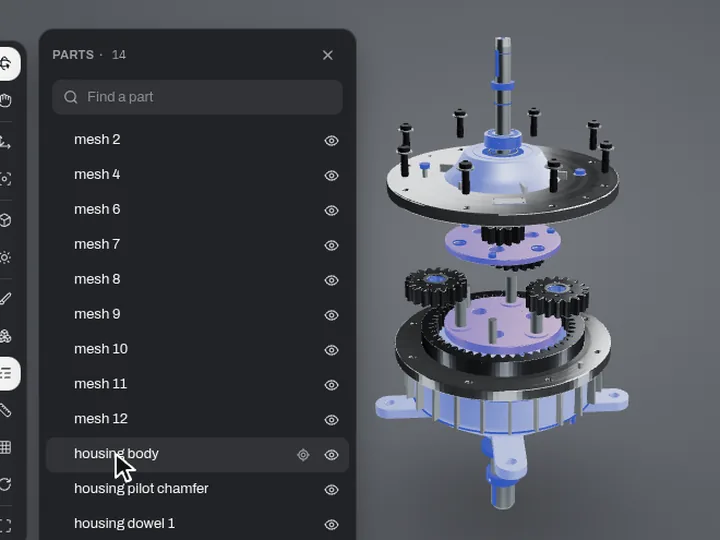
Parts listP
Every part by the name it has in the file. Search, hide one, or show it on its own.
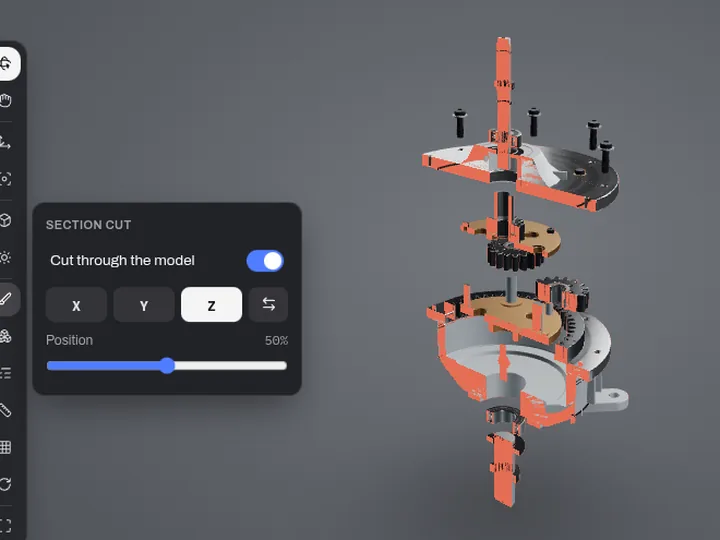
Section cutS
Cut through the model along X, Y or Z to check what's inside a housing.
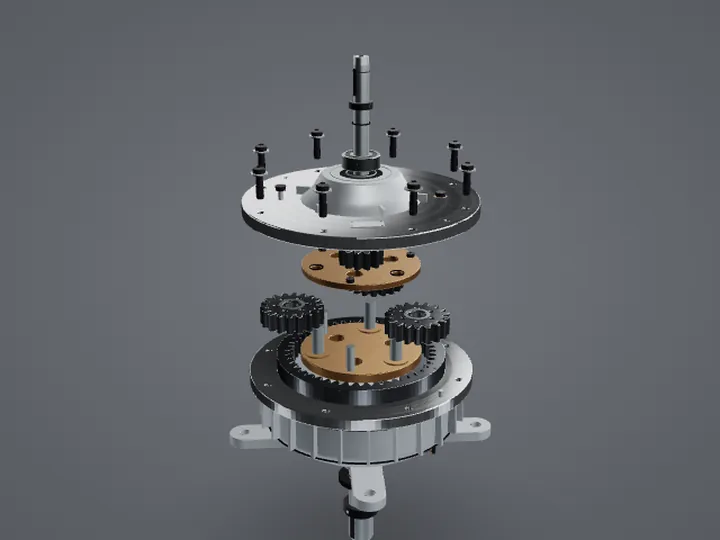
Exploded viewE
Spread the parts apart, from the centre or along one axis, to see how it goes together.
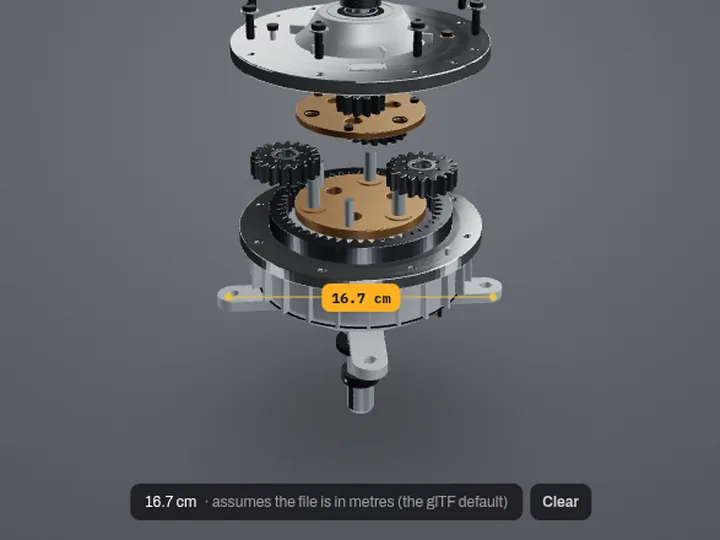
MeasureM
Click two points for the distance between them, at the model's real size.
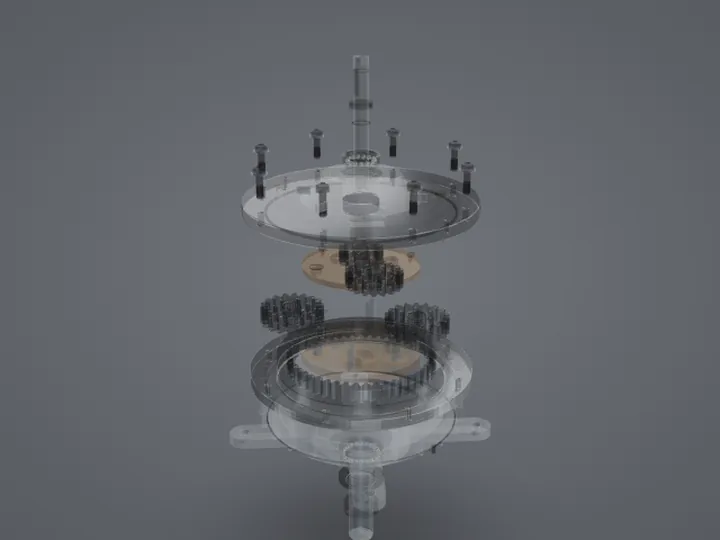
X-ray, wireframe, clayX
See through the outer parts, check the mesh, or look at the shape without colours.
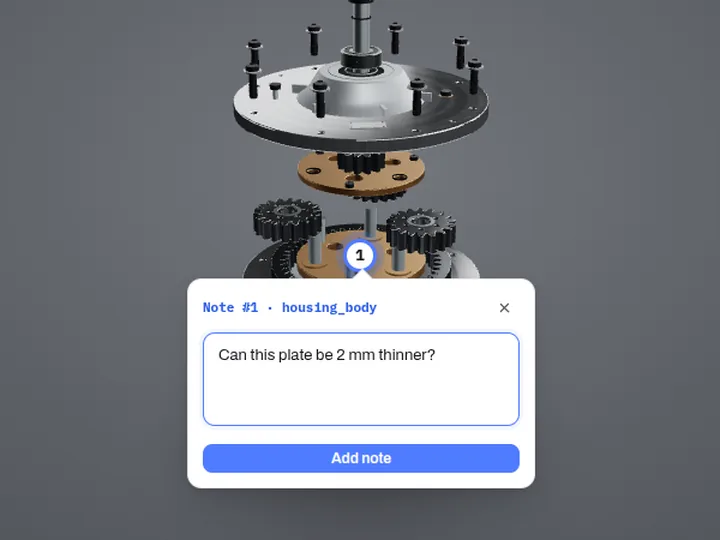
Pin a note
Click a spot and type. The note keeps the angle you were looking from.
Send it on
Need someone else to look at it? They don’t need any 3D software either
- 1
Open it here
Drop the 3MF file on the viewer above.
- 2
Pin your questions on it
Click the part you mean and type: “Is this wall thick enough?”
- 3
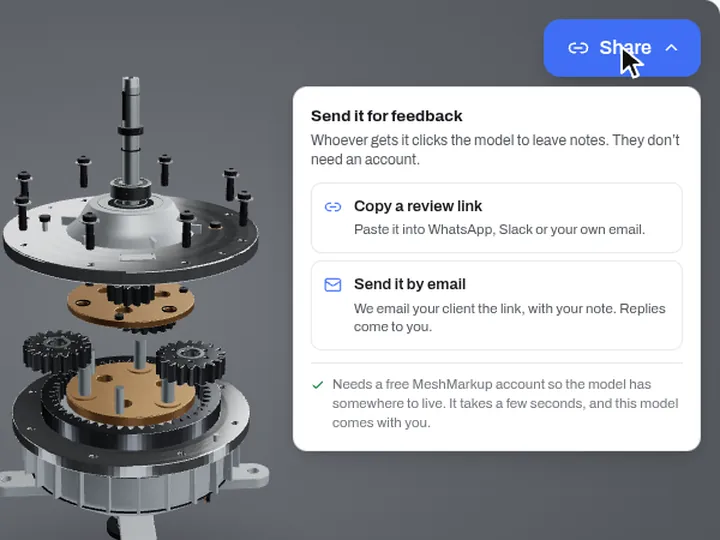
Click Share
Copy a review link, or we email it for you. Sharing needs a free account, and your model and notes come with you.
- 4
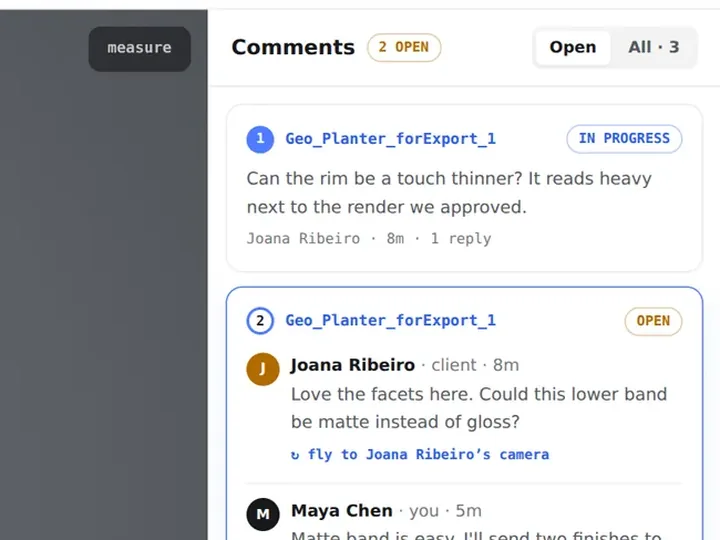
They answer on the model
Your client or supplier opens the link in any browser, with no account, and clicks the spot to reply. You get an email.
- See a sample review →Start free
Who uses it
Made for people who send models to clients
3D artists and modellers
Check a model before delivery, then send it to the client as a link instead of a stack of screenshots.
WireframeNotes3D print services
Open what a customer sent, check its size and shape, and send back what needs changing before printing.
MeasureNotesGame, AR and e-commerce teams
Review assets for polygon count, textures and scale, and pin what needs fixing on the asset itself.
Triangle countParts listProduct and freelance designers
Send each round to the client as a link, collect every comment in one place, and get a clear sign-off.
Review linksVersions
What’s free
The viewer is free. A free account lets you send it
| Feature | Viewer, no account | Free account |
|---|---|---|
| Open STEP, IGES, Rhino, STL, OBJ, FBX, GLB and more | ✓ | ✓ |
| Parts list, section cut, exploded view, measure, X-ray | ✓ | ✓ |
| Pin notes on the model for yourself | ✓ | ✓ |
| Send a review link, and the client replies with no account | – | ✓ |
| Keep your models and every note in one place | – | 3 new every 30 days |
| Email when the client opens the link or leaves a note | – | ✓ |
| Versions, compare and client sign-off | – | On paid plans |
No install, no account
Works in Chrome, Edge, Safari and Firefox, on Windows, Mac and Linux.
Your file stays private
Most files are read in your browser. Very large CAD files are converted on our server and deleted straight after.
Real size and parts
Assemblies keep part names, colours and real-world dimensions.
Up to 1 GB
Big assemblies open too. A cut-off STEP file opens with the part that's there.
How to open a 3MF file
- 1Drop your .3mf file on the viewer above, or click it to choose one.
- 2Turn it with the mouse. Use the toolbar for wireframe, X-ray, part names, measuring and lighting.
- 3Click Share to send it to a client: they open one link and click the spot they want changed.
About 3MF files
3MF is a modern 3D printing format that, unlike STL, can carry units, colours and several objects in one file.
- 3MF keeps its units, so the measure tool shows real sizes.
- Slicer project files can hold print settings too; only the geometry is shown here.
Questions
3MF files, answered
Can I send the model to a client for feedback?
Yes. Once it's open, click Share in the top-right corner of the viewer and choose Copy a review link or Send it by email. You create a free MeshMarkup account on the way, and the model comes with you.
Your client opens the link in any browser with no account and nothing to install, clicks the exact spot they want changed, and the note stays pinned there with the camera angle they were looking from.
Is my file uploaded anywhere?
Most files are read and converted right in your browser and never leave your computer. Very large CAD and mesh files are converted on our server instead, then deleted straight after the converted model is sent back to your browser. Nothing is kept unless you choose Share.
Get feedback on the model, not on a screenshot
One link, no sign-up for your client, and every note pinned to the spot it’s about.