3D model review software (what to look for and how a review works)
What 3D model review software should do, how a web-based review works from upload to sign-off, and where MeshMarkup fits for studios, freelancers and clients.
3D model review software lets the people who didn't build a model look at it, turn it round and tell you what to change, with each comment tied to the spot on the model it's about. MeshMarkup is web-based 3D model review software for studios and freelancers: you upload the model, send a private link, and your client pins notes on it in their browser without an account. The rest of this guide covers what to look for in any tool, how a review runs, and where MeshMarkup is and isn't the right fit.
What 3D model review software is for
Most 3D work is approved by someone who doesn't own the software it was made in: a client, a buyer, an art director. The usual workaround is renders or screenshots, a PDF with circles on it, and a long email thread. That works for a single angle. It breaks down when the question is about the back of the model, the inside of an assembly, or which of four similar edges "the sharp one" is.
A review tool replaces the screenshots with the model itself. The reviewer opens an interactive 3D view, finds the problem from whatever angle shows it best, and leaves a note on that point. You read the note, see the view they saw, and answer it. Done properly, the tool also keeps track of which notes are still open, which version they were about, and whether the client has said yes.
That last part is what separates review software from a 3D viewer. A viewer shows a model. Review software runs a conversation about it, round after round, until there's a decision.
What to look for in 3D model review software
When you compare tools, these are the questions that matter in day-to-day client work:
| Question | Why it matters | In MeshMarkup |
|---|---|---|
| Can the reviewer open it without an account or install? | Every sign-up step costs you replies | Clients open a link in any browser, with no account and no seat |
| Does it open your formats? | Exporting to a format the tool accepts adds a step to every round | GLB and glTF, plus FBX, OBJ, STL, PLY, DAE, STEP, IGES, Rhino 3DM, 3MF and 3DS, converted in your browser |
| Are notes pinned to the model, with the view saved? | "Top left" means nothing on a 3D object | Each note is pinned where the client clicked and keeps their camera angle |
| Can you reply, and track status? | Feedback needs to end, not just arrive | Threaded replies and four statuses: open, in progress, resolved, won't fix |
| Can you talk privately with your team? | Not every discussion is for the client | Internal notes and @mentions that never reach the client |
| Do revisions stay together? | Feedback on v2 shouldn't be lost when v3 arrives | Upload v2 onto the same model; open notes carry across, and a ghost overlay shows what moved (Solo and up) |
| Is there a record at the end? | "I never approved that" is an expensive conversation | Client sign-off on a version (Solo and up) and a printable round report on every plan |
| Is the model private? | Client work usually is | Nothing is public; each link opens one version, with optional expiry |
If a tool can't answer the first and third questions well, it's a viewer with comments bolted on, and you'll end up back in email.
How a web-based 3D model review works
A typical round in MeshMarkup looks like this. The complete review workflow goes through each step in more detail.
Upload the model
Drop the file on your Models page. Anything that isn't GLB or glTF is converted in your browser before it uploads. See uploading 3D models.
Set the scene for the reviewer
Choose the lighting and background, and pin your own questions on the spots you want answered. If the model has internal parts, you can leave it cut open or exploded; your client opens it the way you left it.
Share a review link
From Share for review, pick Look only, Leave feedback or Sign it off, and an expiry if you want one. You can also ask for feedback by a date, and MeshMarkup reminds the client in your name.
The client reviews in the browser
They turn the model, zoom, measure, hide parts, and click a spot to leave a note. See what your client sees.
You triage
Reply to each note, set its status, and use Tasks as one queue across every model. You're emailed when feedback lands, and on Solo and up integrations such as Slack can post it to a channel.
Upload the next version and repeat
Open notes move to the new version with their replies, so the next round starts where the last one stopped.
Close the round
Ask for sign-off on the final version, and save the round report as a PDF.
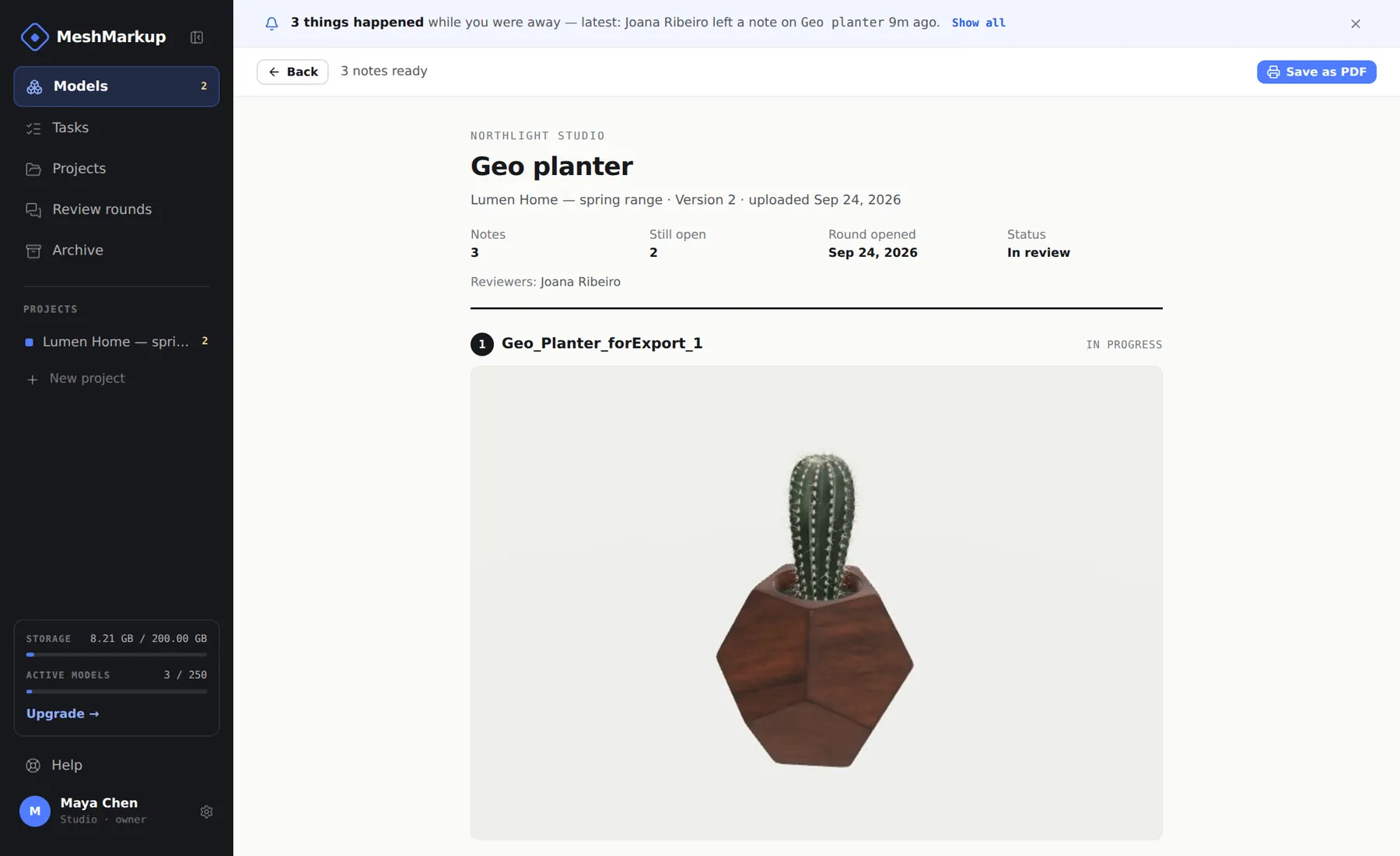
Collaborative 3D model review with more than one reviewer
Reviews rarely involve one person. A product might go past a client, their engineer and their marketing lead; a visualisation might go past an architect and a developer. In MeshMarkup everyone with a link to the same version writes in the same set of notes, so you see where reviewers agree or contradict each other before you change anything. Reviewers can @mention each other, and you can give each person their own link so the Share menu's opened count tells you who has looked.
Two things are worth knowing. Separate links don't separate conversations: if two clients mustn't see each other's comments, give them different models. And reviewers are free and unlimited on every plan, so adding a stakeholder never costs a seat. For setting up the team side, see collaborating with your team and clients, and for the wider idea of working on the model rather than around it, 3D design collaboration software.
Where MeshMarkup fits, and where it doesn't
MeshMarkup is built for the review and approval loop on finished or in-progress models. It suits:
- Visualisation artists and freelancers sending models and renders to clients who don't have 3D software.
- Studios and agencies running several client jobs at once, who need one queue of open notes.
- Engineers and product designers sharing STEP or 3DM files with people who have no CAD. See CAD collaboration software and engineering design review.
- Industrial design teams reviewing form, materials and renders with stakeholders. See product design review software.
It isn't a modelling or CAD editing tool: nobody edits geometry in MeshMarkup, and it doesn't manage CAD files the way a PDM system does. It isn't a public showcase either; there's no embed code or public profile. If you need to publish a finished model to the world, a tool built for that is the better choice; the Sketchfab comparison explains the difference.
Renders, drawings and PDFs can sit in the same link as the model, so a client can comment on the render and the geometry in one place. See notes on renders and PDFs.
Try it before you choose
You can check the viewing side with no account at all: the free viewer opens a model in your browser, and nothing is uploaded. When you want to send something to a client, the Free plan includes review links, pinned notes, replies, statuses, Tasks and the round report, with 3 new models every 30 days and one version per model. Paid plans add versions, sign-off and more; see pricing and plans and billing.
FAQ
Does my client need to install anything?
No. The review link opens in any modern browser on a computer, tablet or phone, with no account and no download.
Can the client download my model?
There's no download button on a review link. See share a CAD model without sending the file for what the client does and doesn't receive.
Can I review renders as well as the 3D model?
Yes. Add images or PDFs to the model and your client pins notes on them too, with arrows, boxes and highlights.
Was this guide helpful?
Related guides
Get feedback on the model, not on a screenshot
Upload a model, send one link, and your client clicks the exact spot. Free to start — no card.